From an event to a verified response.
From the first report to the review, everyone works with the same information. The operator retains control over the next steps.
Bring information from multiple sources together.
Fixed cameras, drones and other connected sensors provide imagery, positions and status data. Video feeds can be viewed together and detections traced to their source.
Live imagery and sensor data in a shared operational picture.
Explore Operations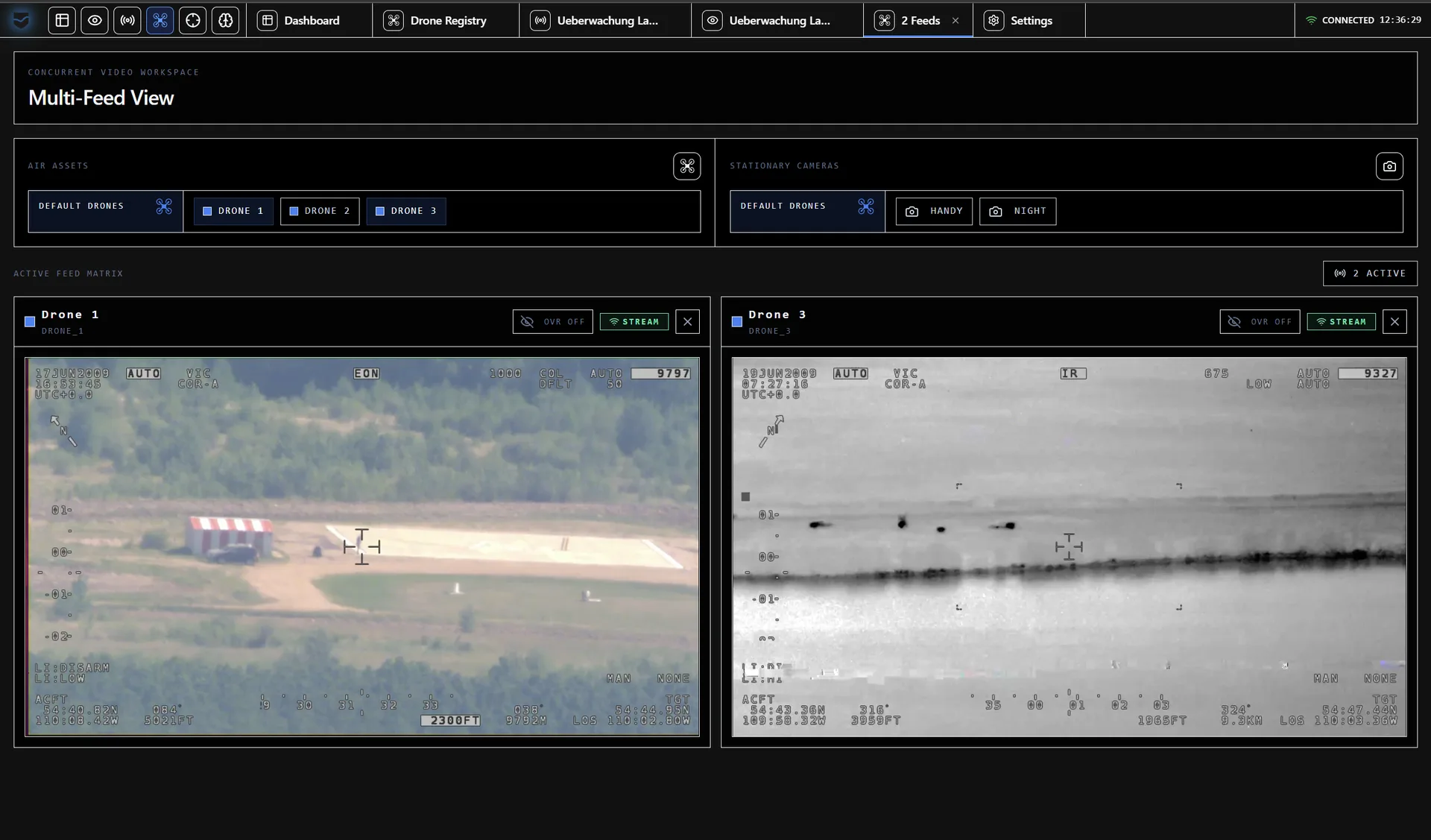
Assess an event using its source material.
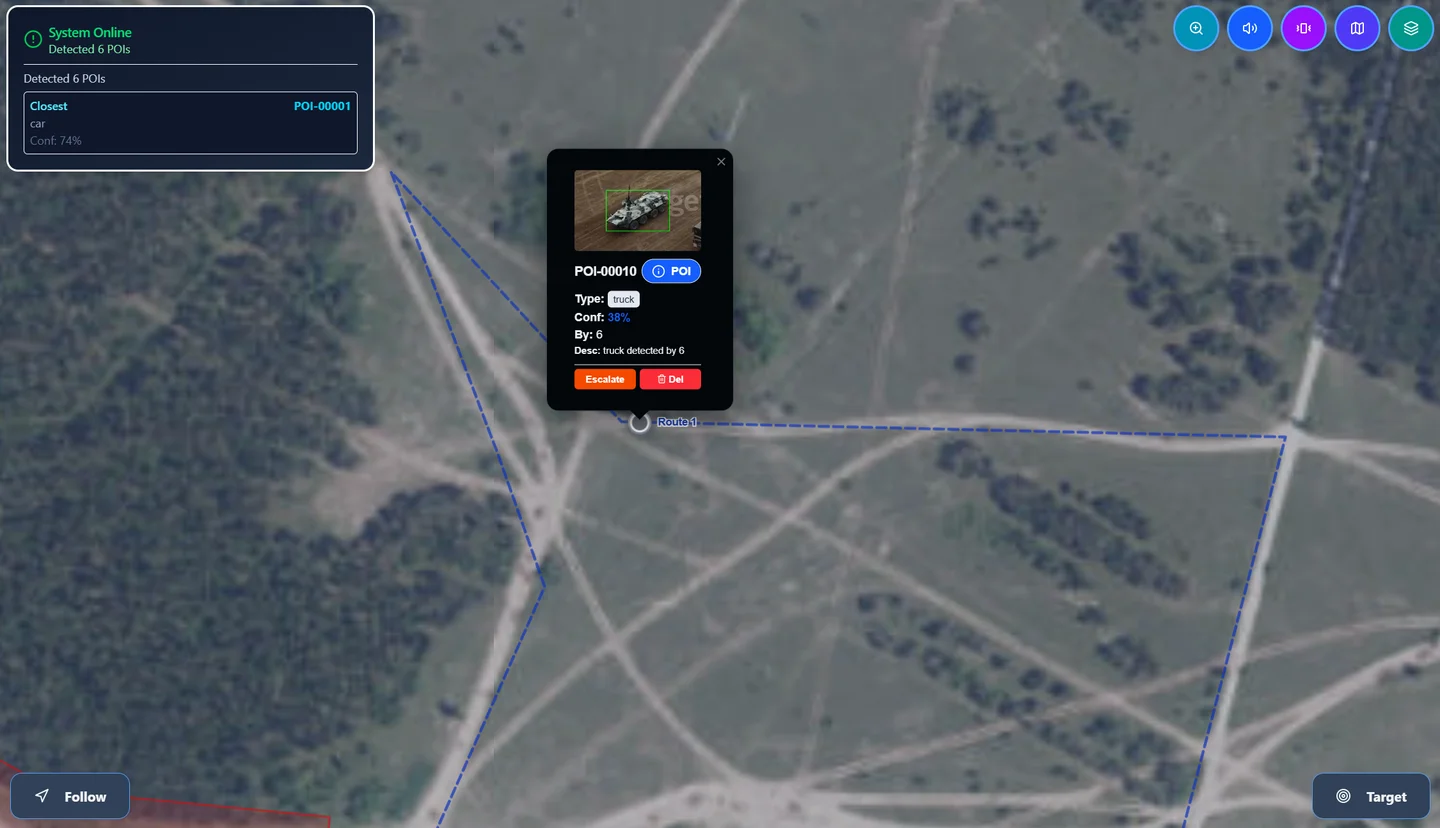
Detections are recorded in the object library with imagery, timestamps and sources. Filters for category, time and area help operators find and assess relevant observations.
Imagery and observations remain associated with a POI.
Explore Intelligence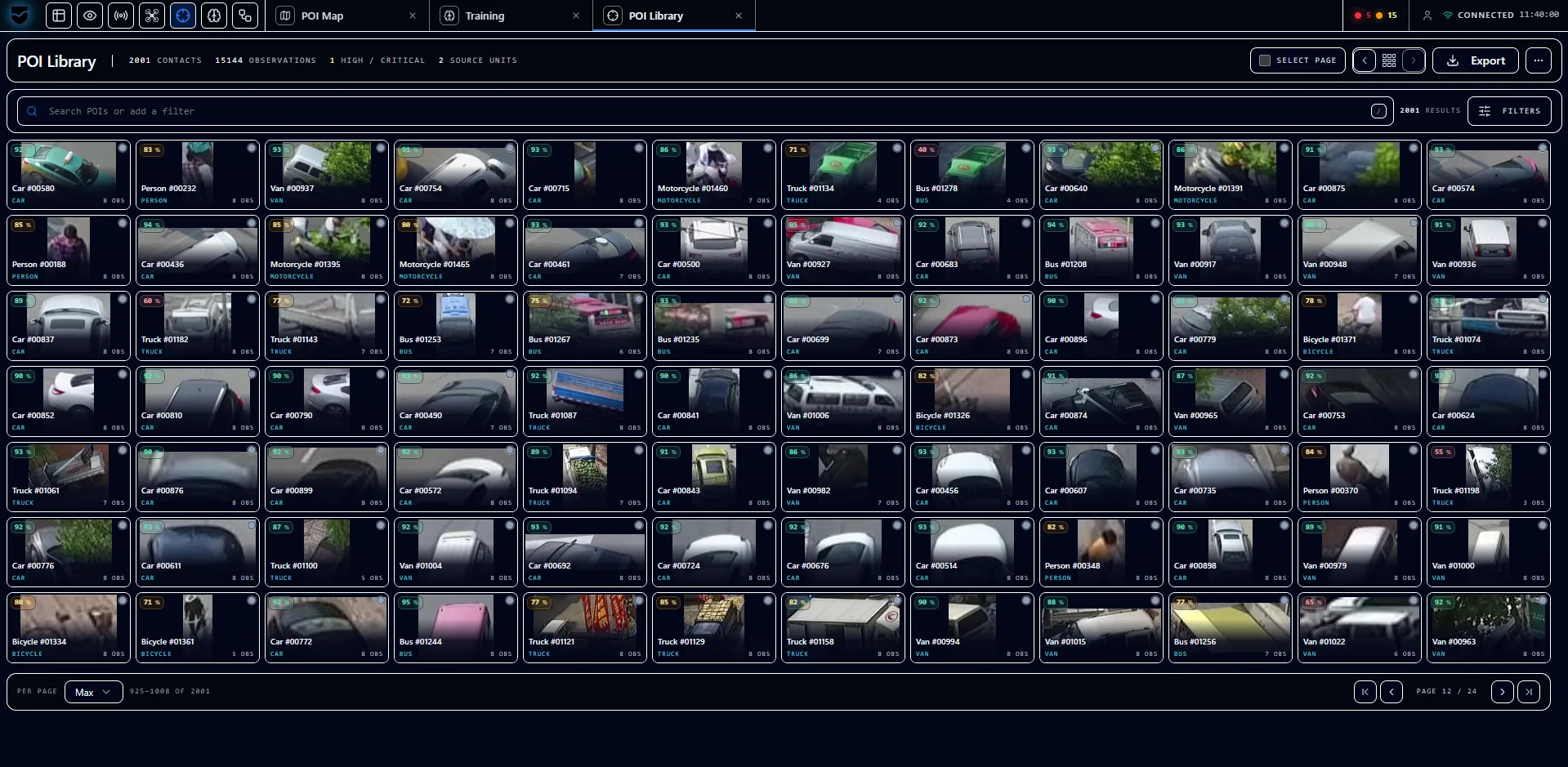
Keep pending decisions in view.
Overwatch brings together warnings, system states and required approvals. Mission-critical actions are presented to the operator, who can approve, reject or intervene manually.
Approvals and interventions remain with the operator.
Explore Operations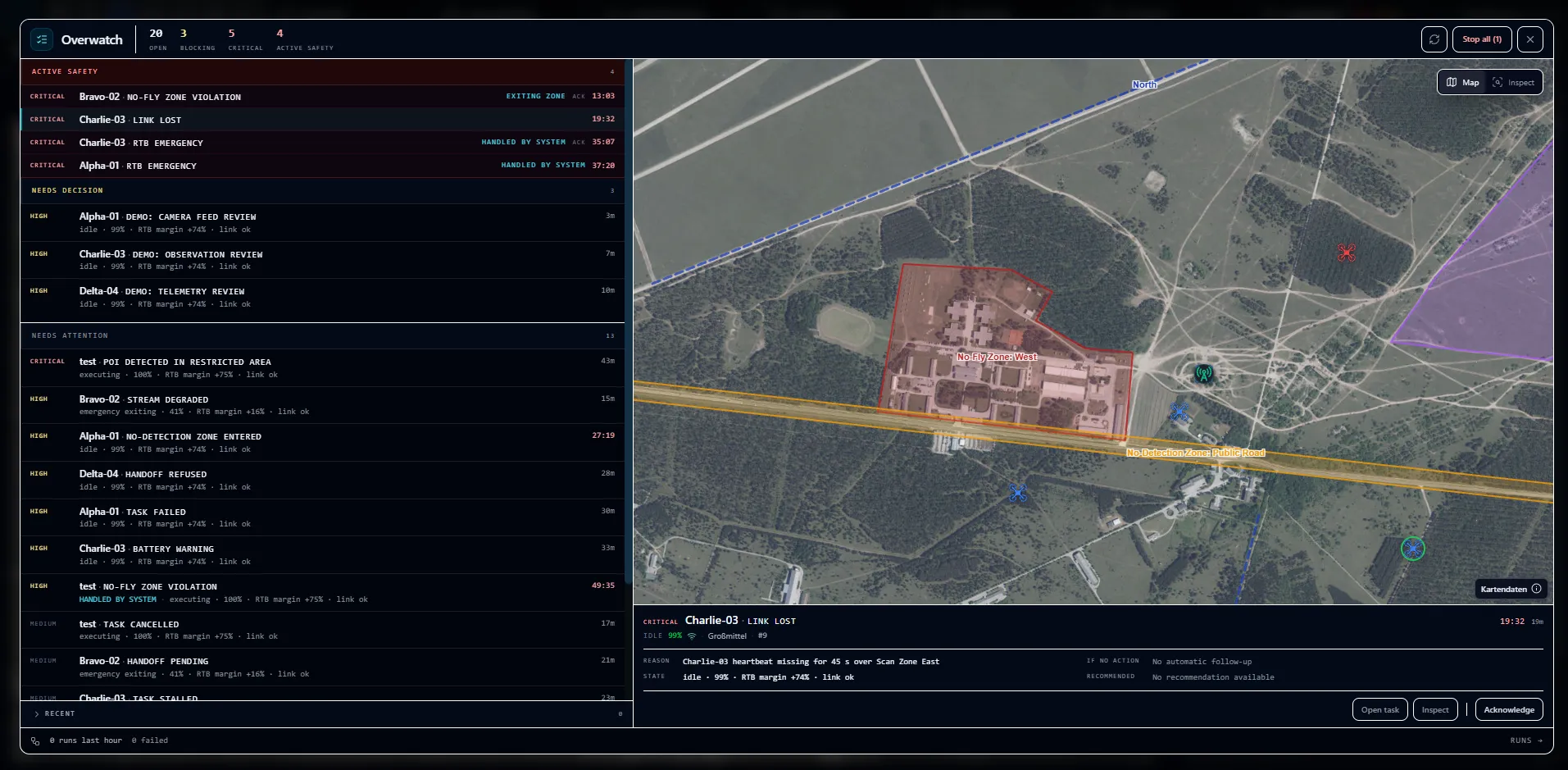
Coordinate tasks and operational assets.
Routes, zones and tasks are planned on the map and monitored during operations. The operations centre and teams on site share the situational picture and the progress of active tasks.
Planning stays connected to the ongoing operation.
Explore Operations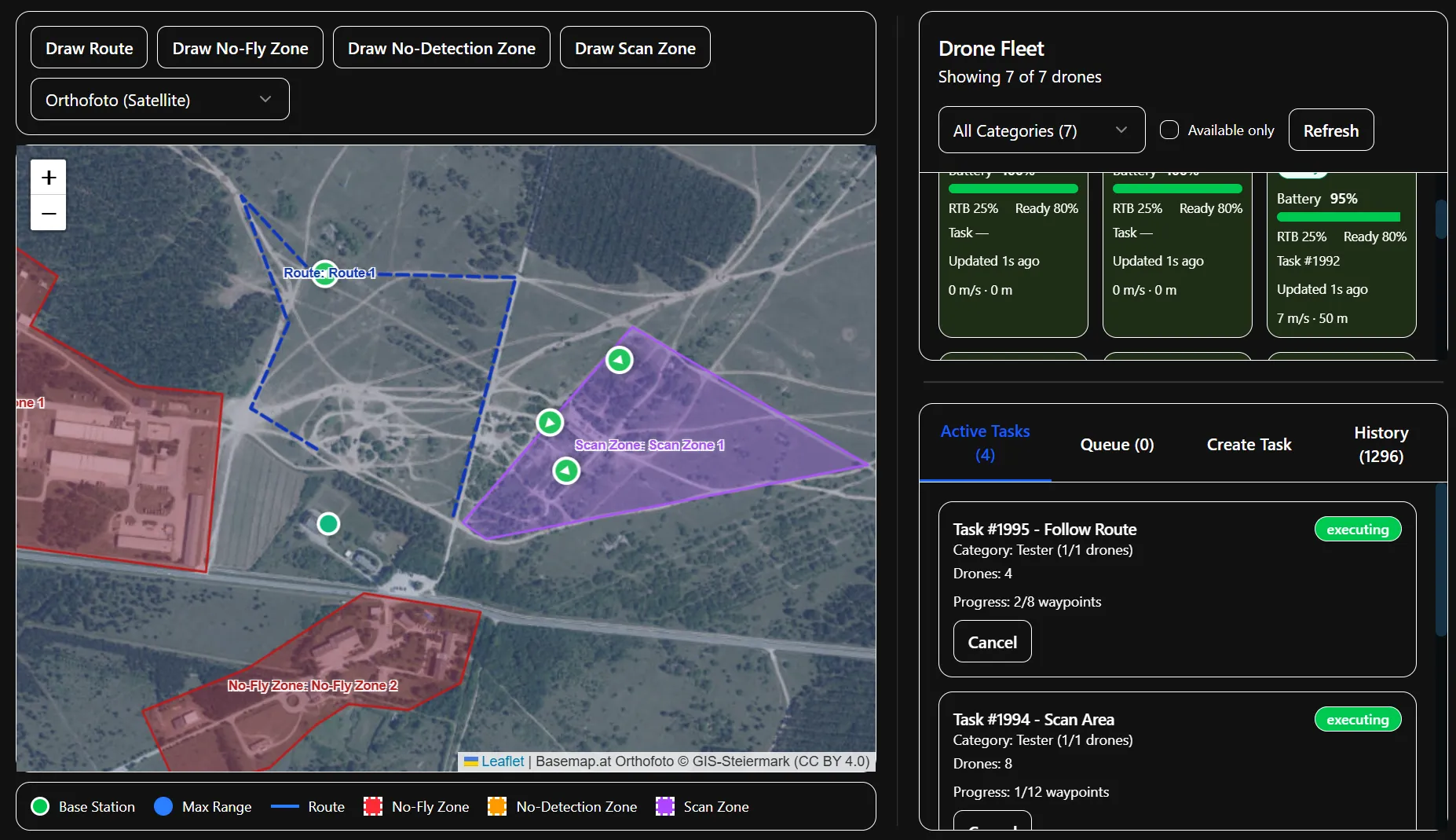
Review outcomes in their sequence of events.
After an operation, recordings, positions and detections are aligned in time. Operators can revisit the sequence, assess the results and export data for further work.
The operation remains available for documentation and review.
Explore analysis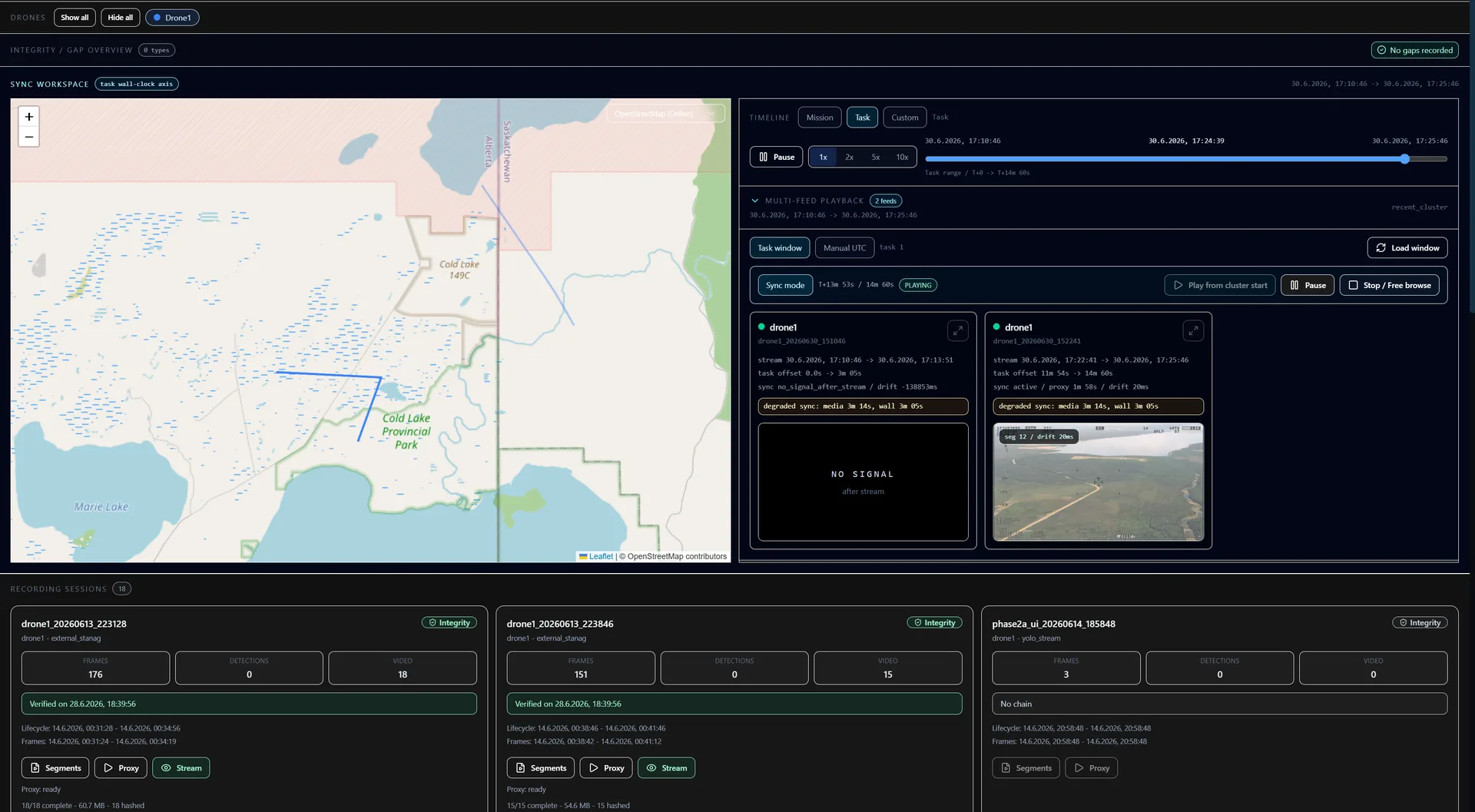
Work with the same operational picture.
Planning and coordination at the operations centre, relevant information on the move: Operator Console views adapt to each role and device.
- Operations centre
- Plan operations, monitor multiple devices and coordinate tasks. Critical reports and pending decisions remain visible in one place.
- Teams on site
- Use the shared situational picture on mobile devices and view POIs on the local network. Relevant information remains available away from the operations workstation.
Connect existing systems to the workflow.
Danubis connects data from integrated systems with planning, coordination and review. The Operator Console runs within the operator’s infrastructure.
- Connect across manufacturers
- Video and metadata connect through STANAG and MISB, aircraft through MAVLink. Adapters provide further device-specific integrations.
- Run locally, including offline
- Maps, models and operational data are held locally. The operations centre and mobile devices work together on the operator’s own network.
- Manage access and recordings
- Permissions are assigned by role and device. Recording retention and integrity can be managed and reviewed within the system.
The Operator Console’s workspaces.
The modules share a common data set. Operators move between planning, live operations and analysis as their task requires.
Operations
Plan routes, zones and tasks, monitor operations and manage approvals. Mission Review combines recordings, tracks and detections for review.
Explore OperationsIntelligence
Collect detections in the object library, filter by category, time and area, and examine relationships in the graph. Each observation leads back to its recording and source.
Explore IntelligenceFleet
Manage devices, monitor their condition and energy status, and view single or multiple video streams. History remains available for each device.
Situation
Live map, dashboard, stationary and mobile views present the situation for each role and device. Map data can be provided locally.
AI
Train, assess and manage models. Review and quality assurance support model selection. Changes during operation are controlled.
System
Enrol devices, grant or revoke access, set retention and monitor system health. Services can be updated and scaled independently.
Let’s look at your workflow.
We discuss your operational scenario, existing systems and deployment requirements. Together we then define a demonstration, technical evaluation or pilot project.